

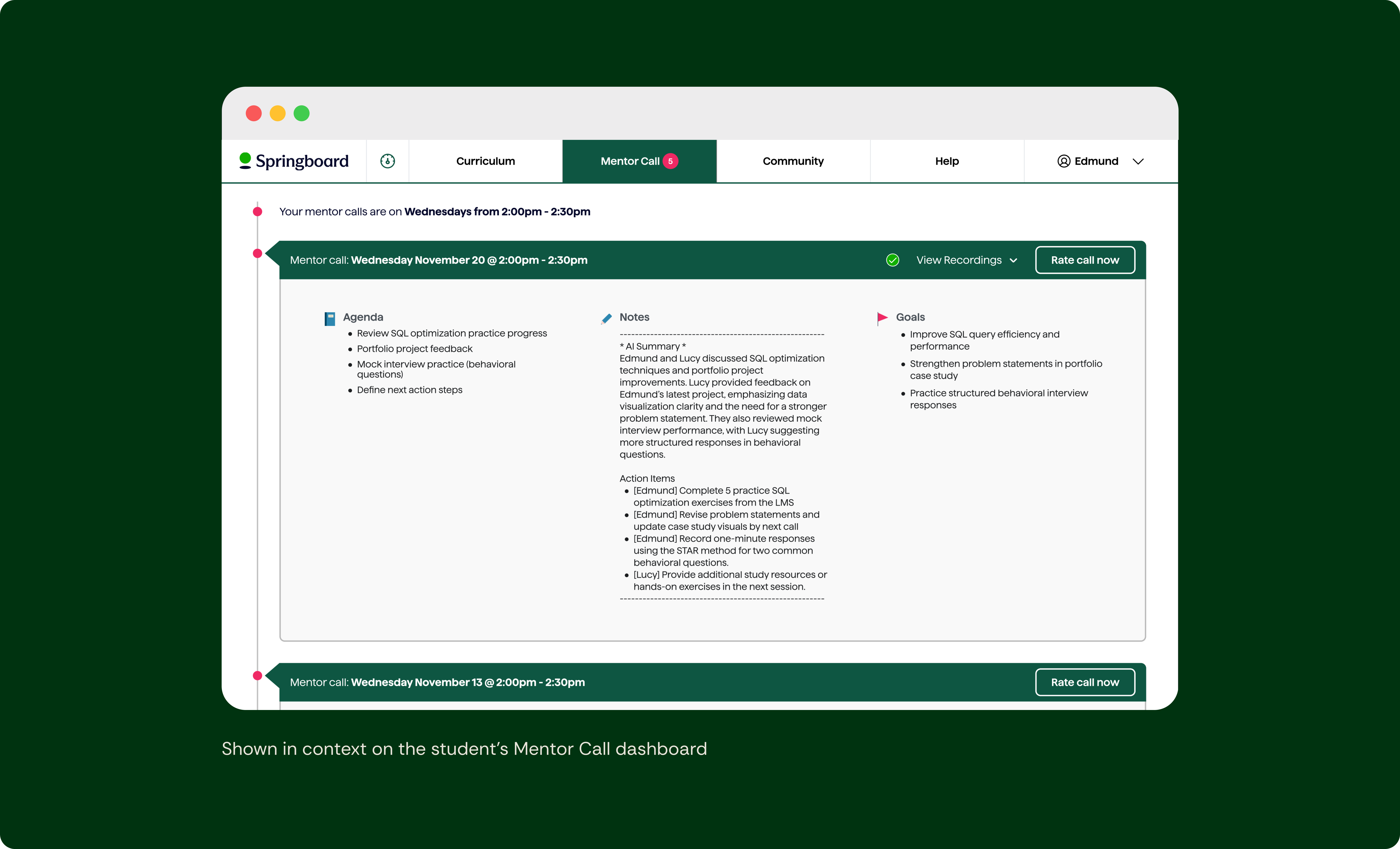
With the consent foundation already in place, the next step was helping students and mentors get more value from their mentor calls.
Students often left sessions with helpful guidance, but struggled to recall details later. Mentors also relied on memory or quick notes when preparing for future calls. Important context and action items were easy to lose between calls, especially when students needed to revisit advice weeks later.
Making recordings available alone wouldn’t solve this. We needed a way to help students and mentors quickly revisit what mattered most–preparing for upcoming calls and reflecting on key takeaways afterward.
I started by working with Product, Engineering, and Program teams to explore how summaries and recordings could fit into the existing student call experience. Early sketches tested whether we should redesign the call log structure to support these features long term. After reviewing concepts with the team, we decided a structural redesign would add too much effort for an MVP. Instead, we integrated the feature into our existing UI so it could ship faster while still fitting naturally into the workflow.
From there, I iterated through several design versions exploring:
This feature also needed to work within the mentor dashboard, which required additional iteration due to its different UI structure. (See Workflow integration and visiblity for a Mentor call log UI reference)
After Eng confirmed summaries could be generated automatically after each call, I finalized the MVP design for automated summaries, recording access, and consent-aware feature messaging.
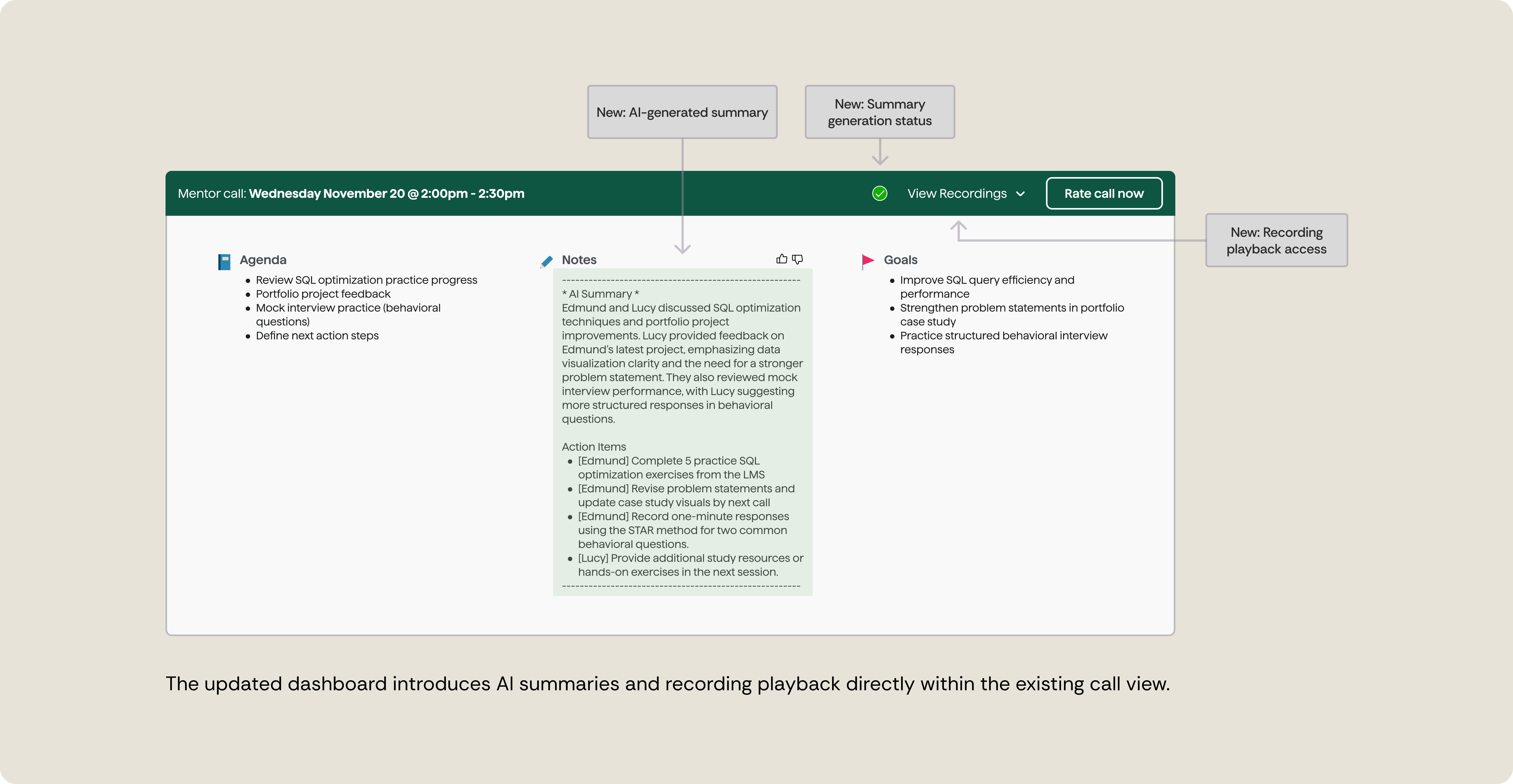
Summaries became the primary entry point, with recordings available for those who wanted to go deeper or revisit specific moments from the call. This layered approach kept the experience lighter and more optional, especially for mentors who were still cautious about recording.
I partnered with Eng during implementation, conducting design QA and UAT before launch. The feature shipped in May 2025, followed by early feedback interviews with a small group of users.
We launched AI-generated summaries alongside recording access. Summaries quickly delivered value, helping students and mentors:
Because summaries fit naturally into workflows that already existed, they made it easier to reflect on past conversations and stay aligned between sessions.
Recording usage grew more slowly in the early weeks. While some users opted in, recordings continued to surface concerns around privacy and tone.
The takeaway: Summaries became the clearest driver of early value, while recordings required more thoughtful framing and trust-building over time.
This work introduced AI summaries as the primary reflection tool for mentor calls and established the foundation for future recording features across the platform.
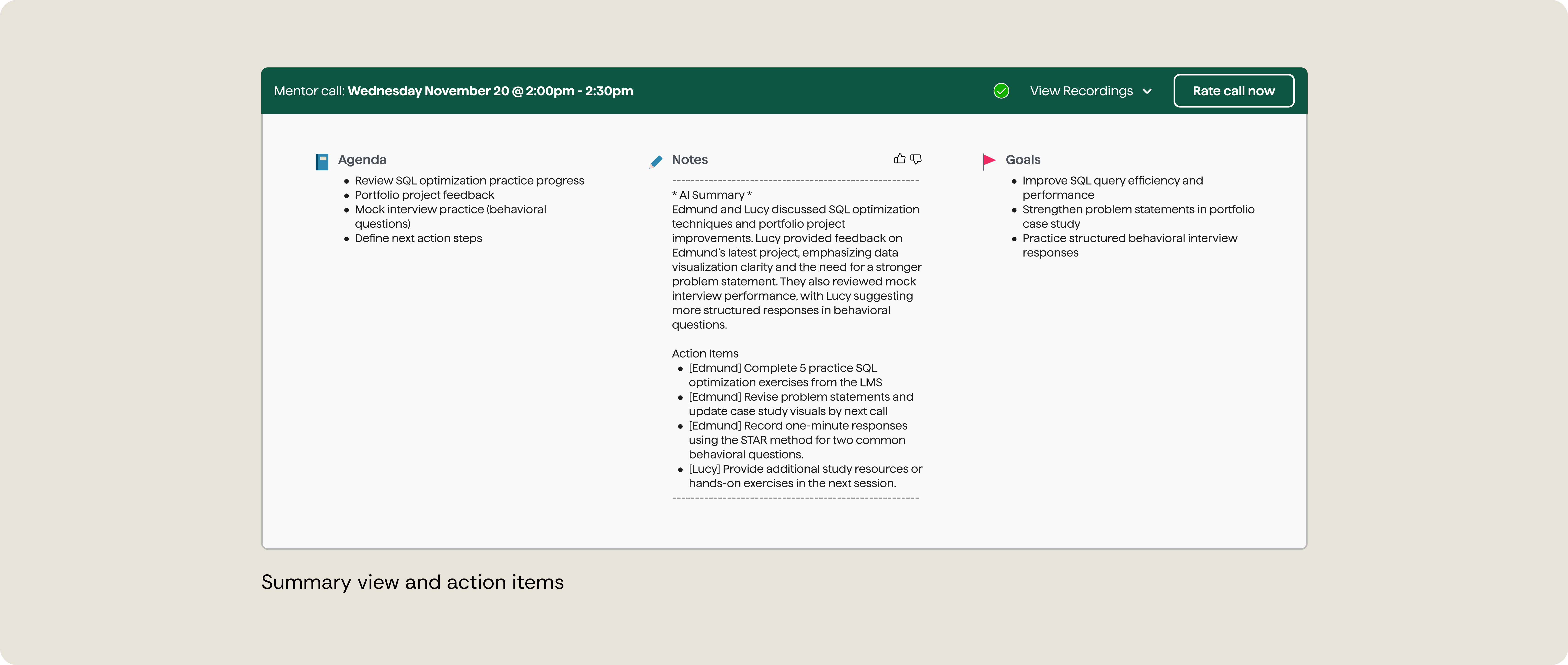
Summaries give students and mentors a quick way to revisit what mattered and prepare for the next call, without rewatching an entire session.
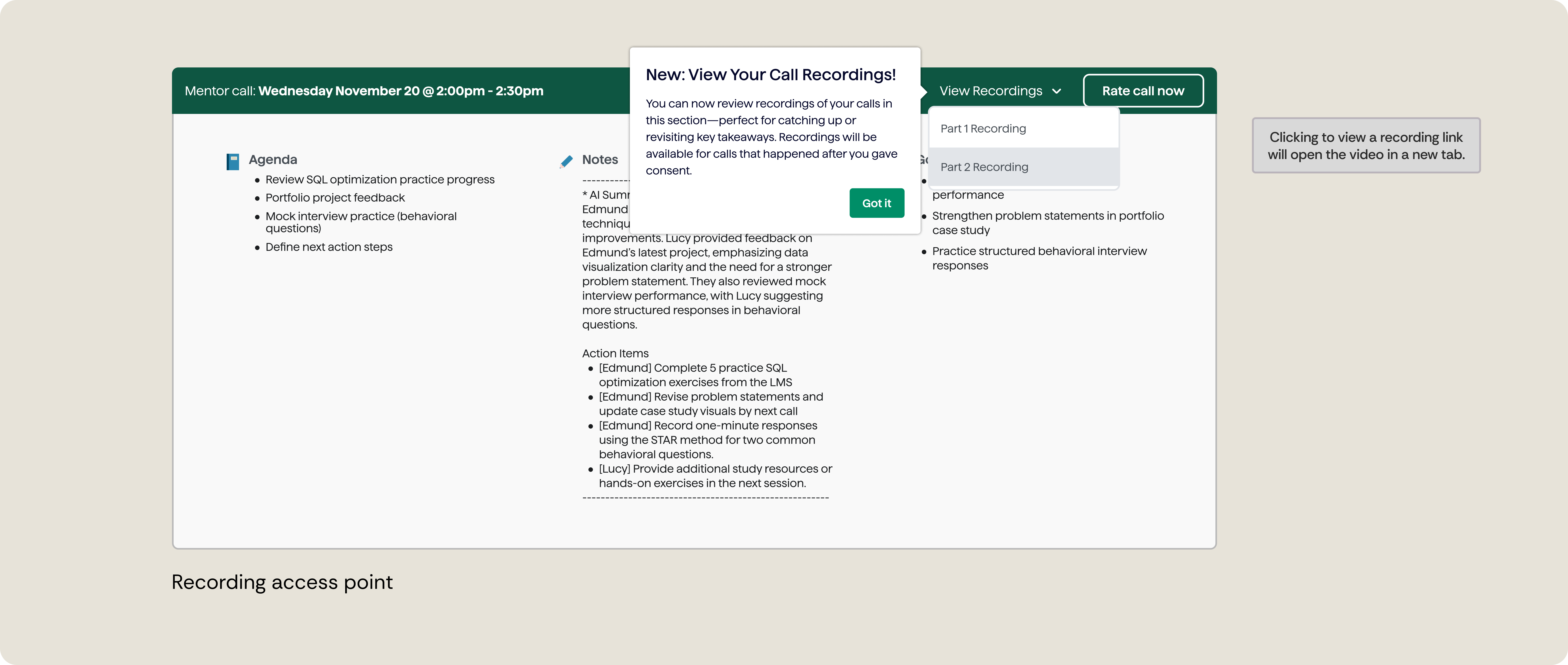
Recordings are available when deeper context is needed, while summaries stay front and center.
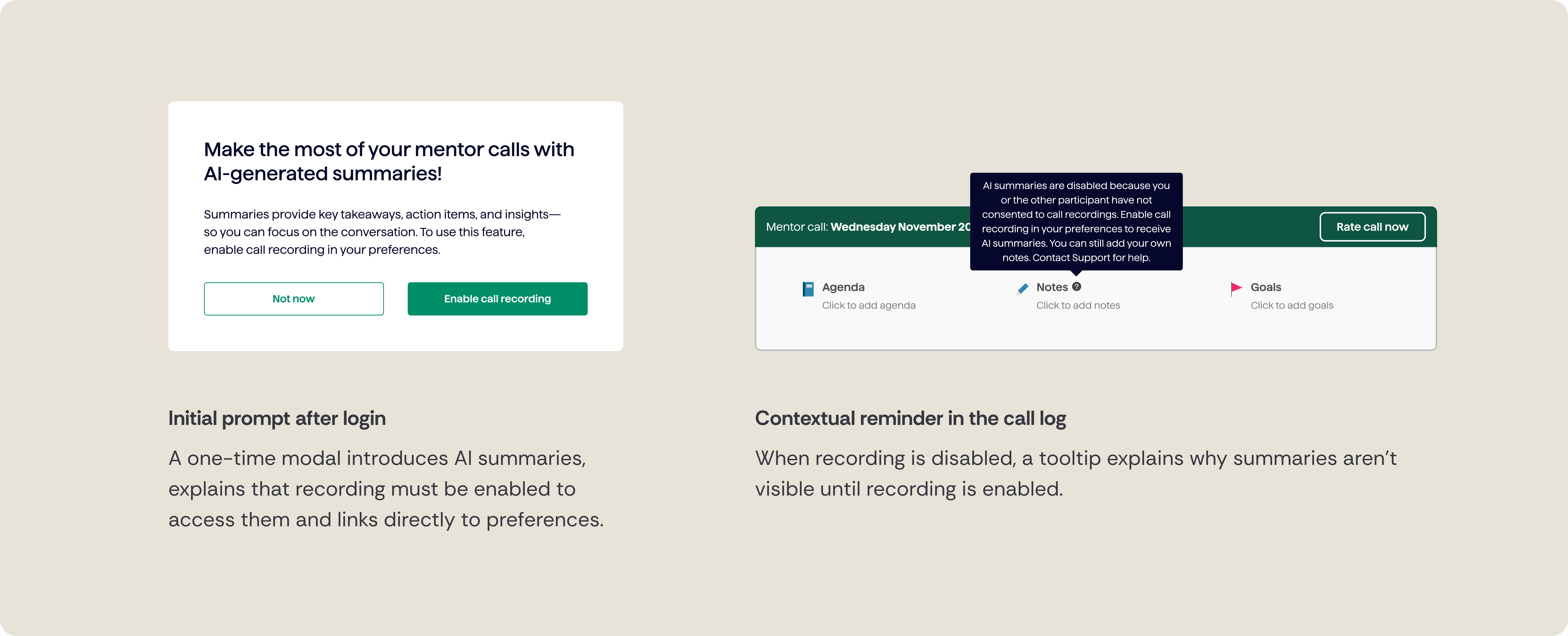
When features weren’t available due to consent, the product clearly explained why, helping avoid confusion and build trust.

The experience was designed to respect user choice while maintaining awareness over time, balancing education, consent, and non-intrusive reminders.
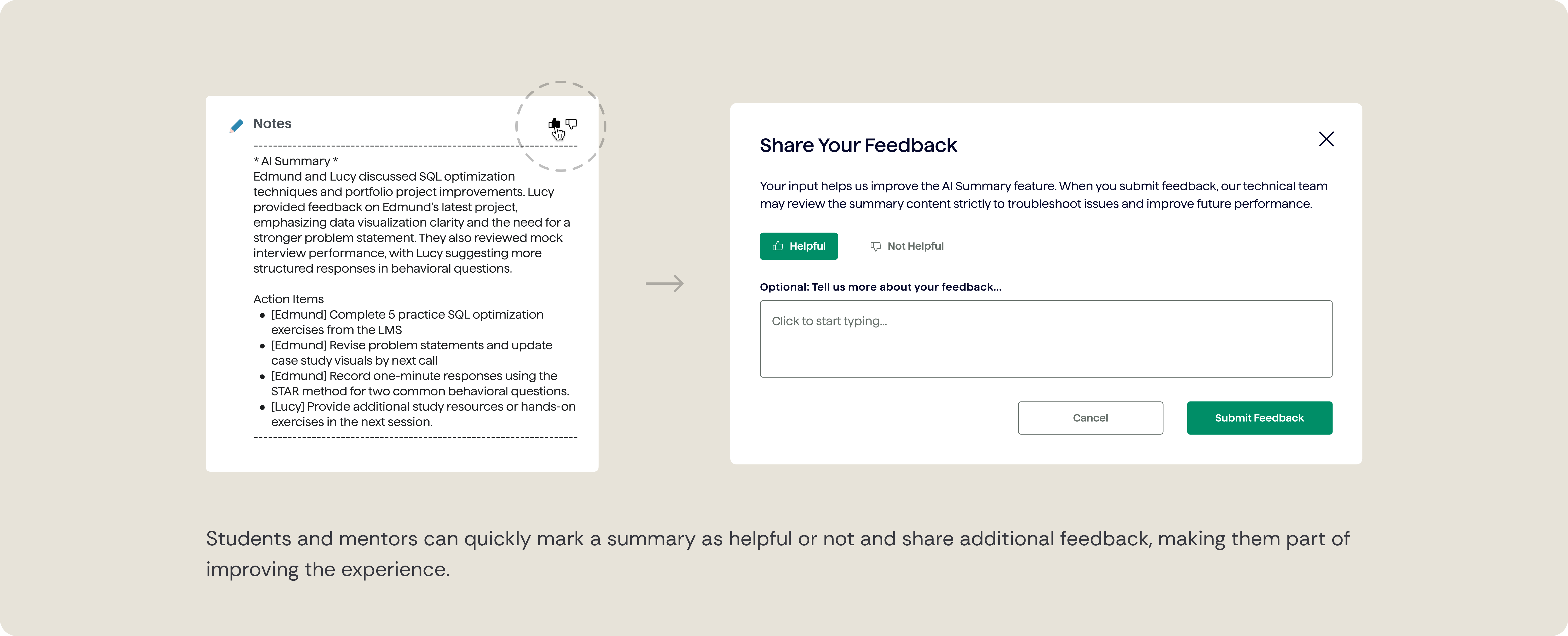
Students and mentors can rate accuracy and improve summaries over time, supporting trust in automated content.
Summaries and recordings were designed to show up where mentors and students already worked, making review and preparation feel natural rather than additive. These features needed to work across both student and mentor dashboards without changing existing workflows.
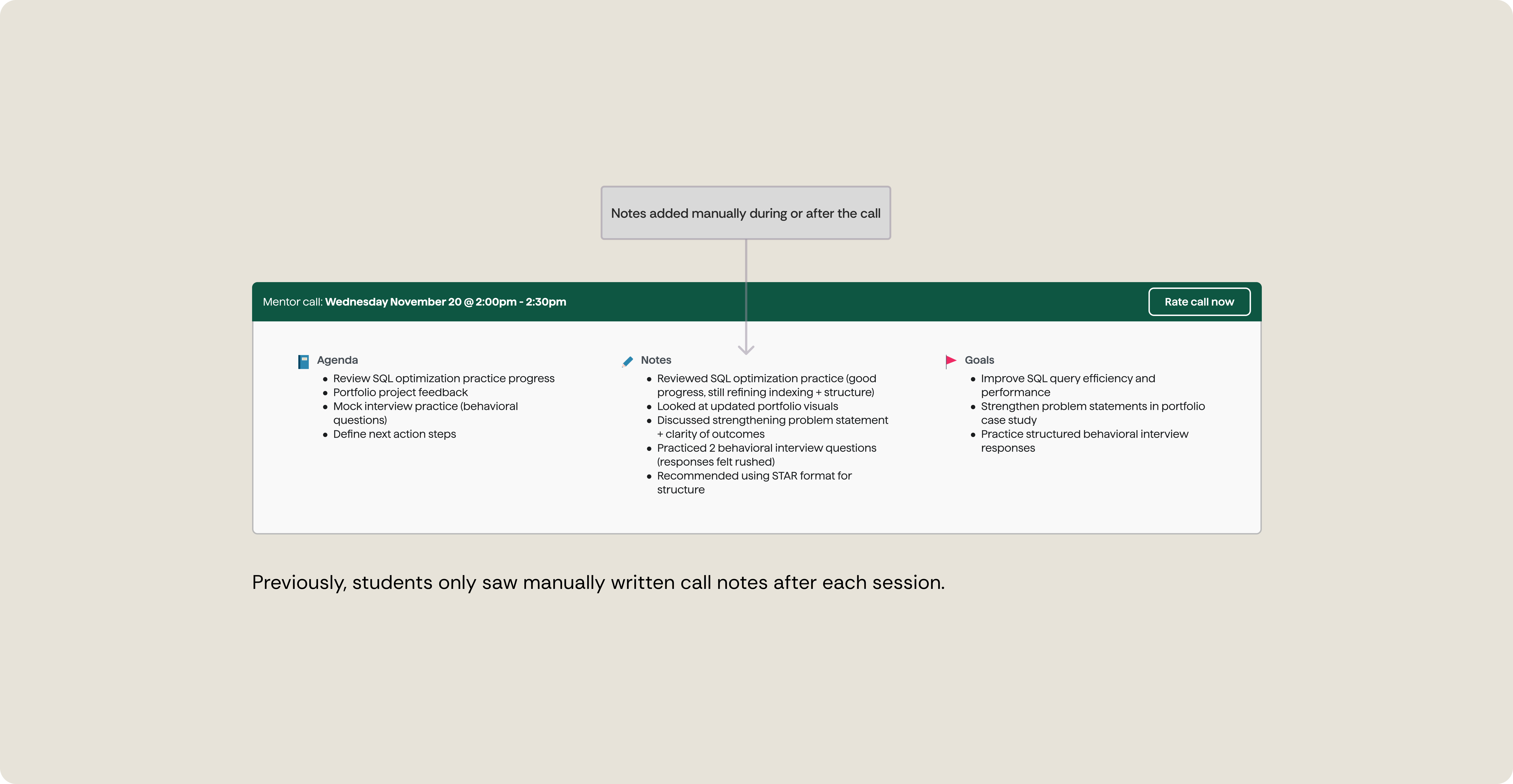
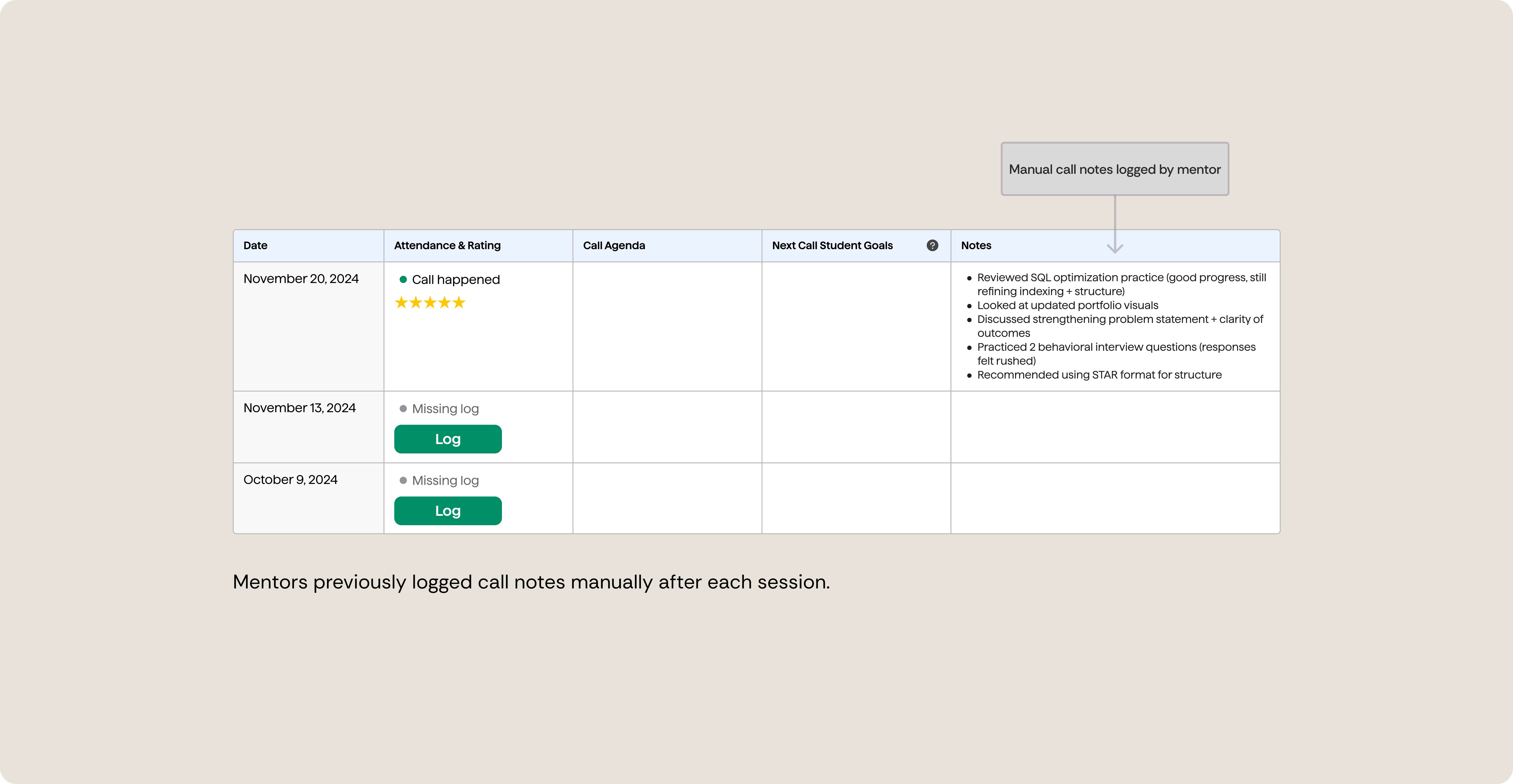
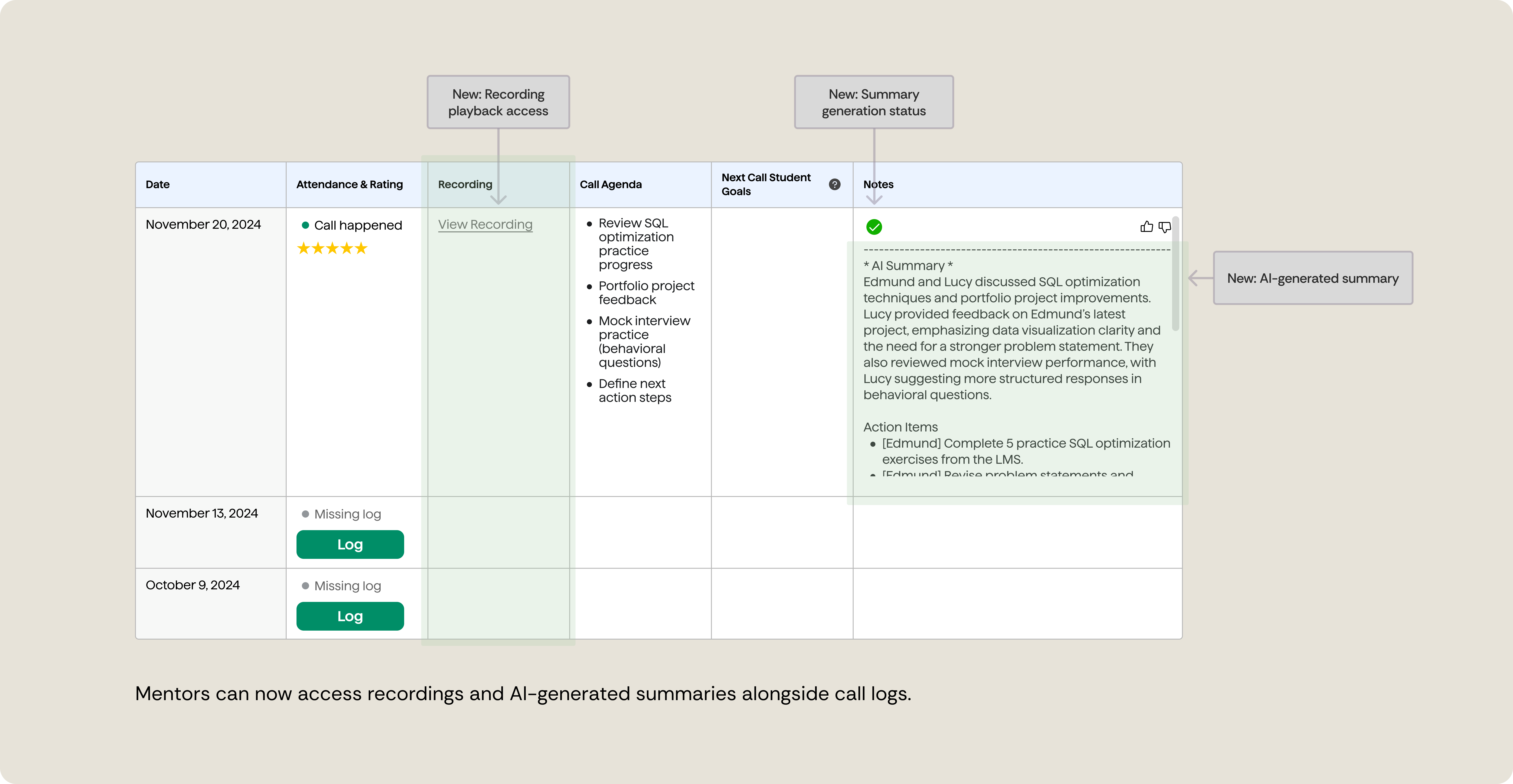
We shipped this work in phases. Summaries launched first while the team worked through storage and access requirements for recordings. Early on, recordings were available through manual requests until self-serve access was ready.
Early feedback interviews reinforced what we were seeing:
Once storage work was complete, recordings were added to the UI as planned.
Overall, this phase reinforced that adoption isn't just about turning features on. It’s about trust, comfort, and where tools show up in people’s existing habits.
Summaries delivered immediate value, but recordings surfaced bigger questions around trust, comfort, and long-term adoption.
Next focus areas:
Rather than rushing into new features, the next phase focuses on understanding behavior, building trust gradually, and adding support where it genuinely helps while keeping mentorship human.
